

Use more than one device
You can sign in with the same username on several devices at once, for example a computer at your desk and a phone for when you walk around. Every device shows the same keys, levels and microphone state.
Sign in on another device
Section titled “Sign in on another device”Sign in with your username and password as on your first device. See Get started.
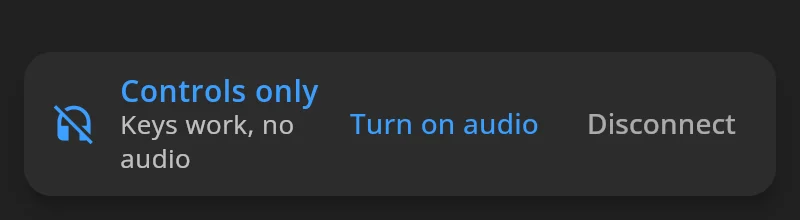
To use a device only as a control panel, for example a tablet next to your computer, tick Control only (no audio) when you sign in. It has no microphone and no speaker. Its keys still talk and listen through your other devices. The banner at the bottom says Controls only.
One device has the microphone
Section titled “One device has the microphone”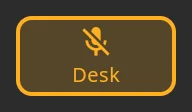
Only one of your devices sends your voice. The mic button on the others shows the name of the device that has it, such as Desk. Tap it to take the microphone on this device. Taking it also unmutes it.
If you press a talk key on a device that doesn’t have the microphone, its mic button flashes as a reminder.
Mute is the same on every device. Mute on one, and all of them show muted.
When a device disconnects
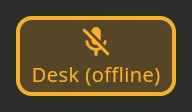
Section titled “When a device disconnects”If the device with your microphone loses its connection, it keeps the microphone for 90 seconds, in case it comes straight back. Its mic button on your other devices shows (offline) after its name, such as Desk (offline).
After that, the microphone moves to another of your devices, muted: the one that had it most recently, or your only other device. A dropped device never leaves you talking on another one unexpectedly. Tap the mic button to unmute.
If none of your devices can take the microphone, unmuting shows No device available to use the microphone.
Keys on several devices
Section titled “Keys on several devices”A key you hold or latch on one device shows as on, on all of them. Letting go on one device does not turn off a key you hold on another.
Disconnect a device
Section titled “Disconnect a device”Open Settings on that device and press Disconnect at the bottom. To keep the keys but stop audio on this device, press Disconnect Audio under Settings → Devices instead.